Emirates ID Delivery Tracking
After completing your Emirates ID application, renewal, or replacement process, the next step is waiting for the physical card to be delivered. For many UAE residents, this waiting period can cause stress, especially when the ID is needed for banking, employment, government services, or visa procedures. Fortunately, the UAE has made it simple and efficient to monitor your card’s journey through Emirates ID delivery tracking systems. With just a few clicks, you can see where your card is, whether it has been printed, dispatched, or reached the post office for pickup.
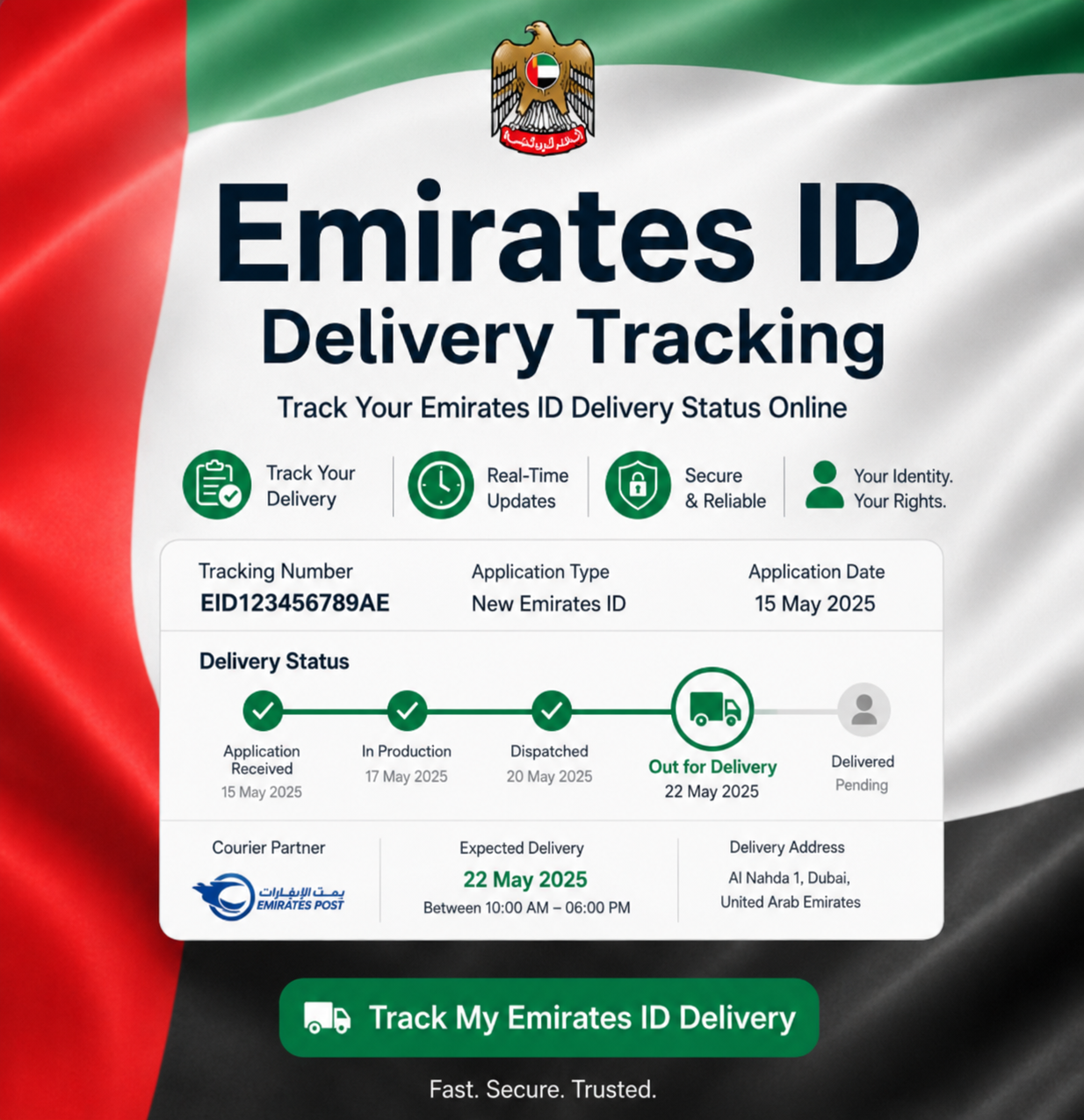
How to Track Emirates ID Delivery (Step-by-Step)
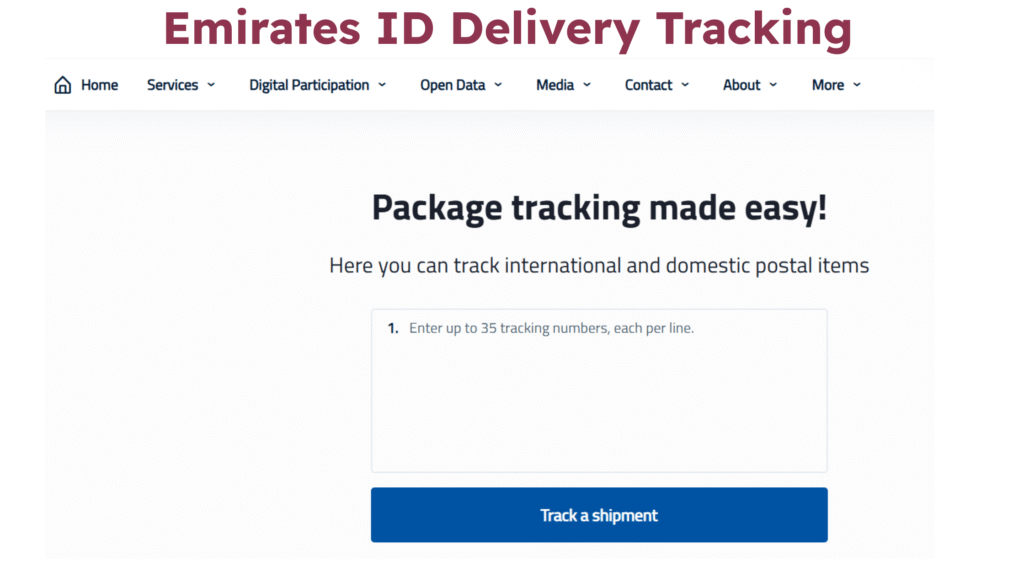
Tracking your Emirates ID card is easy and can be done through the official Emirates Post website. Here is the simplest method for Emirates ID tracking delivery.
Step 1: Wait for the “Card Printed” Status on the ICA Portal
Before tracking delivery, confirm that your Emirates ID has been printed. Visit the ICA Smart Services portal and check your application status. Once the status shows “Card Printed”, it means your Emirates ID has been handed over to Emirates Post for delivery. This is the first indication that you can start your Emirates ID delivery tracking.
Step 2: Locate Your Tracking Number (AWB Code)
After the card is printed, you will receive an SMS from Emirates Post containing your tracking number also known as the AWB (Air Waybill) Code. This number is essential for tracking Emirates ID delivery.
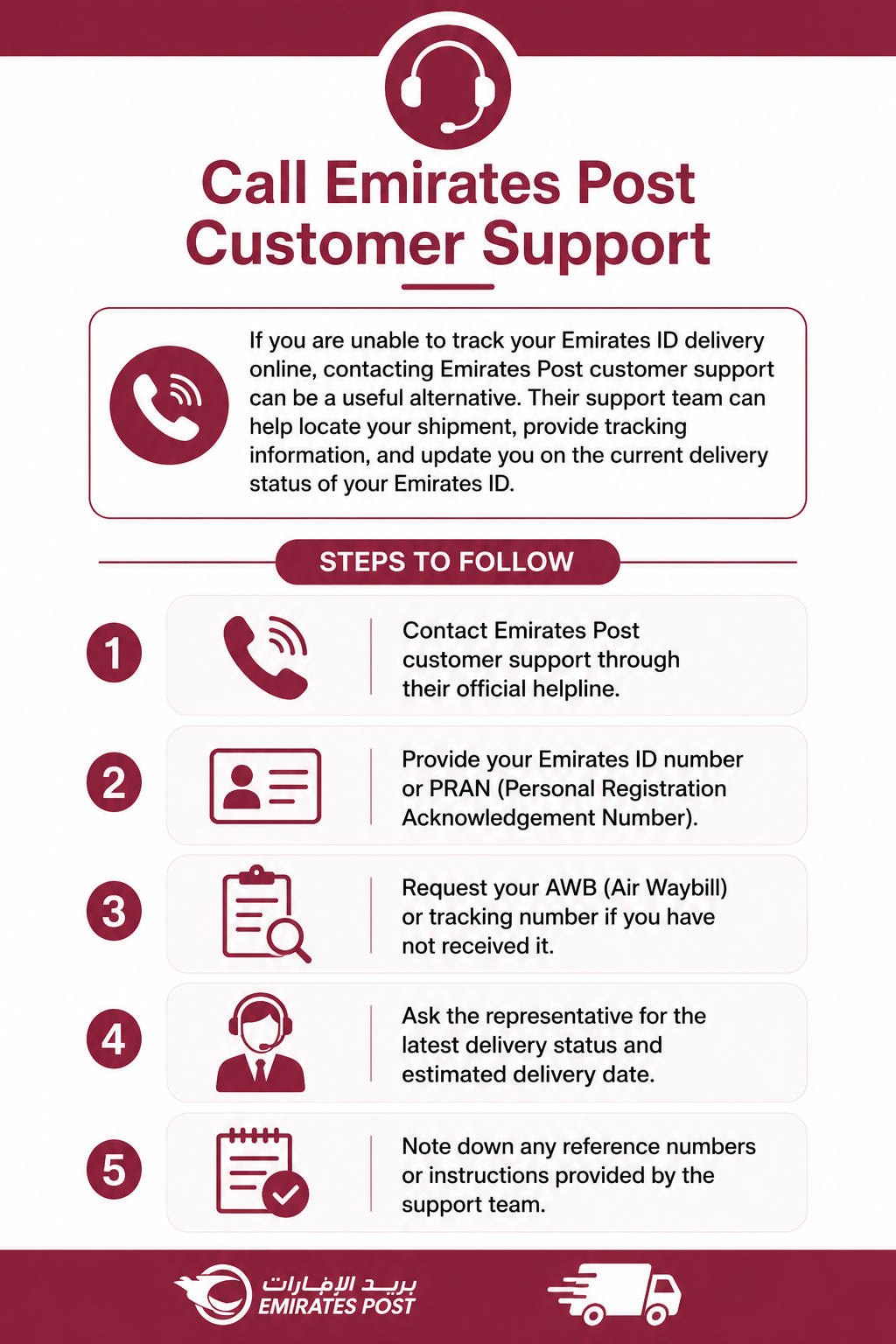
If you did not receive the SMS, you can call Emirates Post customer care and request your tracking number using your Emirates ID or PRAN number.
Step 3: Visit the Emirates Post Tracking Page
Go to the official Emirates Post tracking website (https://www.emiratespost.ae/all-services/track-a-package). Here, you will find a search box labeled “Track a Shipment.” This platform is the only official and accurate source for emirates id tracking delivery updates.

Step 4: Enter the Tracking Number
Type your AWB tracking number into the search field and click “Track.” The system will instantly show detailed updates about your Emirates ID card delivery, including:
This is the most reliable way to monitor your Emirates ID card’s movement.

Step 5: Receive Your Emirates ID Card
Once the status shows “Out for Delivery,” keep your phone available, as the delivery agent may call you.
If no one is available at home, the card may be redirected to the nearest post office. After successful delivery, your tracking page will show a “Delivered” status.
Alternative Ways to Track Emirates ID Delivery
While Emirates Post tracking is the main method, you can also try the following:
Call Emirates Post Customer Support
If you are unable to track your Emirates ID delivery online, contacting Emirates Post customer support can be a useful alternative. Their support team can help locate your shipment, provide tracking information, and update you on the current delivery status of your Emirates ID.
Visit Emirates Post Branch
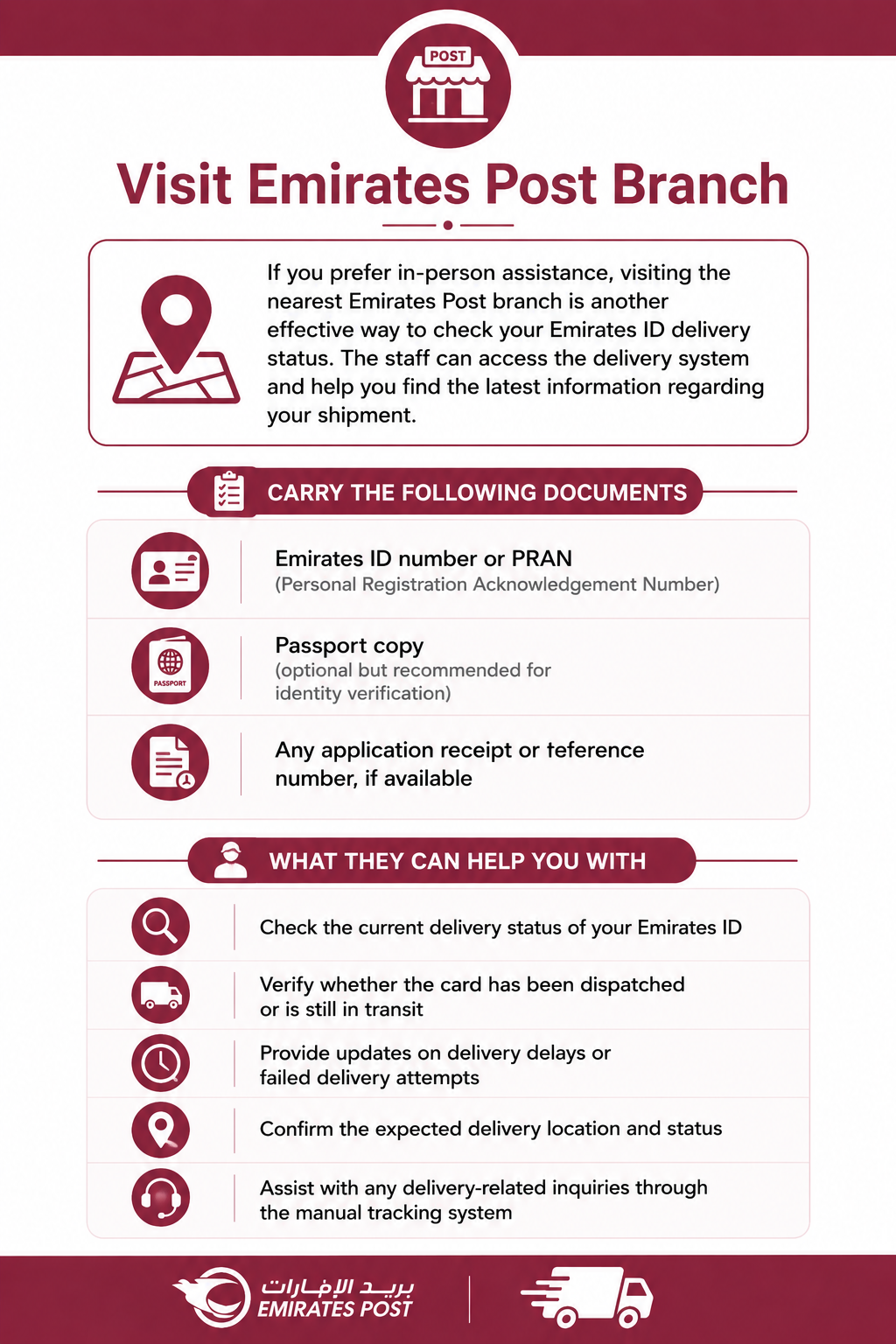
If you prefer in-person assistance, visiting the nearest Emirates Post branch is another effective way to check your Emirates ID delivery status. The staff can access the delivery system and help you find the latest information regarding your shipment. This option is especially useful if you are facing tracking issues online or need direct support
Carry the following documents:
What they can help you with:
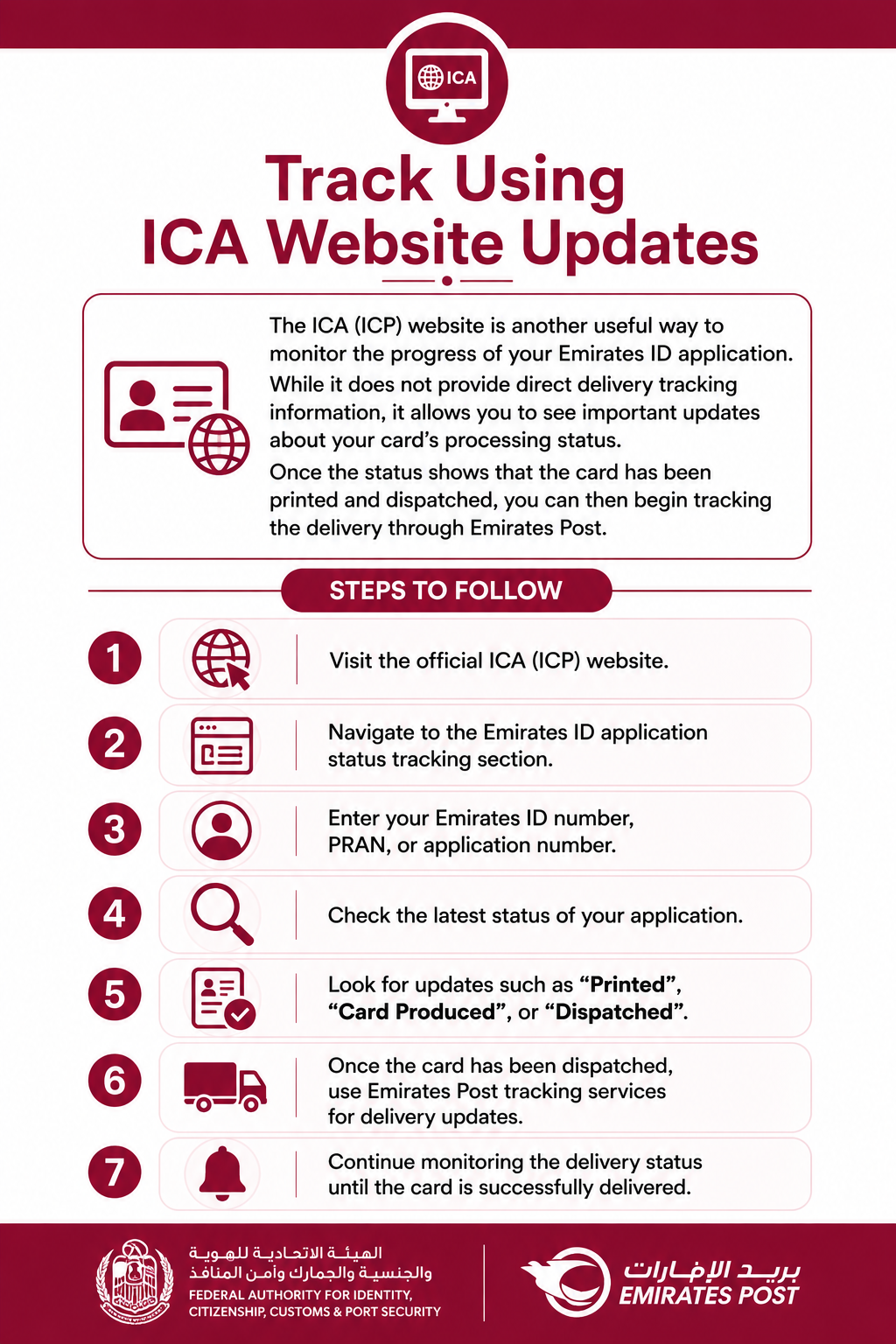
Track Using ICA Website Updates
The ICA (ICP) website is another useful way to monitor the progress of your Emirates ID application. While it does not provide direct delivery tracking information, it allows you to see important updates about your card’s processing status. Once the status shows that the card has been printed and dispatched, you can then begin tracking the delivery through Emirates Post.
Common Emirates ID Delivery Status Updates
When using Emirates ID Delivery Tracking, you may come across several different status messages. Understanding these updates can help you know exactly where your card stands in the process.
Application Received
This status indicates that your Emirates ID application has been successfully submitted and recorded in the official system. We’ve received your request, and the application is now in review and verification.
Under Review
When your application shows “Under Review,” it means the relevant authorities are checking the information and documents you provided. During this stage, they verify your personal details to ensure everything is accurate and complete before moving forward.
Approved
The “Approved” status confirms that your application has successfully passed all required checks and validations. Once approved, your Emirates ID application moves to the card production stage for printing and preparation.
Card Printing
This status means your Emirates ID is currently being manufactured with your personal information and security features. The card is being produced and prepared for the next stage before delivery can begin.
Printed Successfully
When you see “Printed Successfully,” it means your Emirates ID card has been fully produced without any issues. The card is now ready to be packaged and transferred to the authorized delivery service.
Dispatched
The “Dispatched” status indicates that your Emirates ID has been handed over to the courier or delivery partner. At this point, the card has left the production facility and started its delivery journey.
In Transit
This status means your Emirates ID is currently moving through the courier network toward its destination. The delivery company is transporting the card between processing centers or delivery hubs before final delivery.
Out for Delivery
When the status changes to “Out for Delivery,” it means the courier has your Emirates ID and plans to deliver it that day. You should keep your phone available and ensure someone is present to receive the card.
Delivered
The “Delivered” status confirms that your Emirates ID has been successfully handed over to you or an authorized recipient. This marks the completion of the delivery process, and no further action is usually required.
Delivery Failed
This status appears when the courier was unable to complete the delivery attempt. Common reasons include an incorrect address, unavailable recipient, unreachable contact number, or other delivery-related issues that may require follow-up action.
How Long Does Emirates ID Delivery Take?
Usually, Emirates ID cards are delivered within:
If your card is delayed, use the emirates id tracking delivery system to see if there is an address issue, failed attempt, or sorting delay.
Why Emirates ID Delivery Tracking Is Important
Tracking your Emirates ID card helps you:
With tracking Emirates ID delivery, you stay informed and avoid unnecessary stress.
FAQ’s
2. What should I do if I did not receive my Emirates ID tracking number?
If you haven’t received your tracking number, you can contact Emirates Post customer support and provide your Emirates ID number or PRAN. They will share your AWB tracking code and help you with updated delivery details.
3. How long does Emirates ID delivery take after printing?
Typically, Emirates ID delivery takes 2–4 working days after the “Card Printed” status appears. However, during peak seasons or public holidays, delivery may take up to 7 days. You can always check the latest updates through Emirates ID delivery tracking on the Emirates Post website.
Conclusion
The UAE has made it simple and efficient to track your Emirates ID card online. Using Emirates Post’s tracking system, you can stay updated on every stage of delivery from dispatch to final arrival.
Whether you call customer support, check online updates, or visit a post office, the Emirates ID delivery tracking process ensures complete transparency and convenience. By following the steps in this guide, you can easily perform emirates id tracking delivery and know exactly when your card will reach you.