Emirates ID Download
The Emirates ID is one of the most important documents for citizens and residents living in the United Arab Emirates. It serves as your official proof of identity and is required for a wide range of services, including banking, healthcare, government transactions, travel, and telecommunications. While carrying the physical card is important, there are many situations where having a digital copy can be equally useful.
Whether you need your Emirates ID for online verification, official documentation, emergency situations, or personal record keeping, knowing how to download Emirates ID online can save time and provide quick access whenever needed. The UAE government has introduced several digital platforms that make it easier than ever to access and manage your identification records securely.
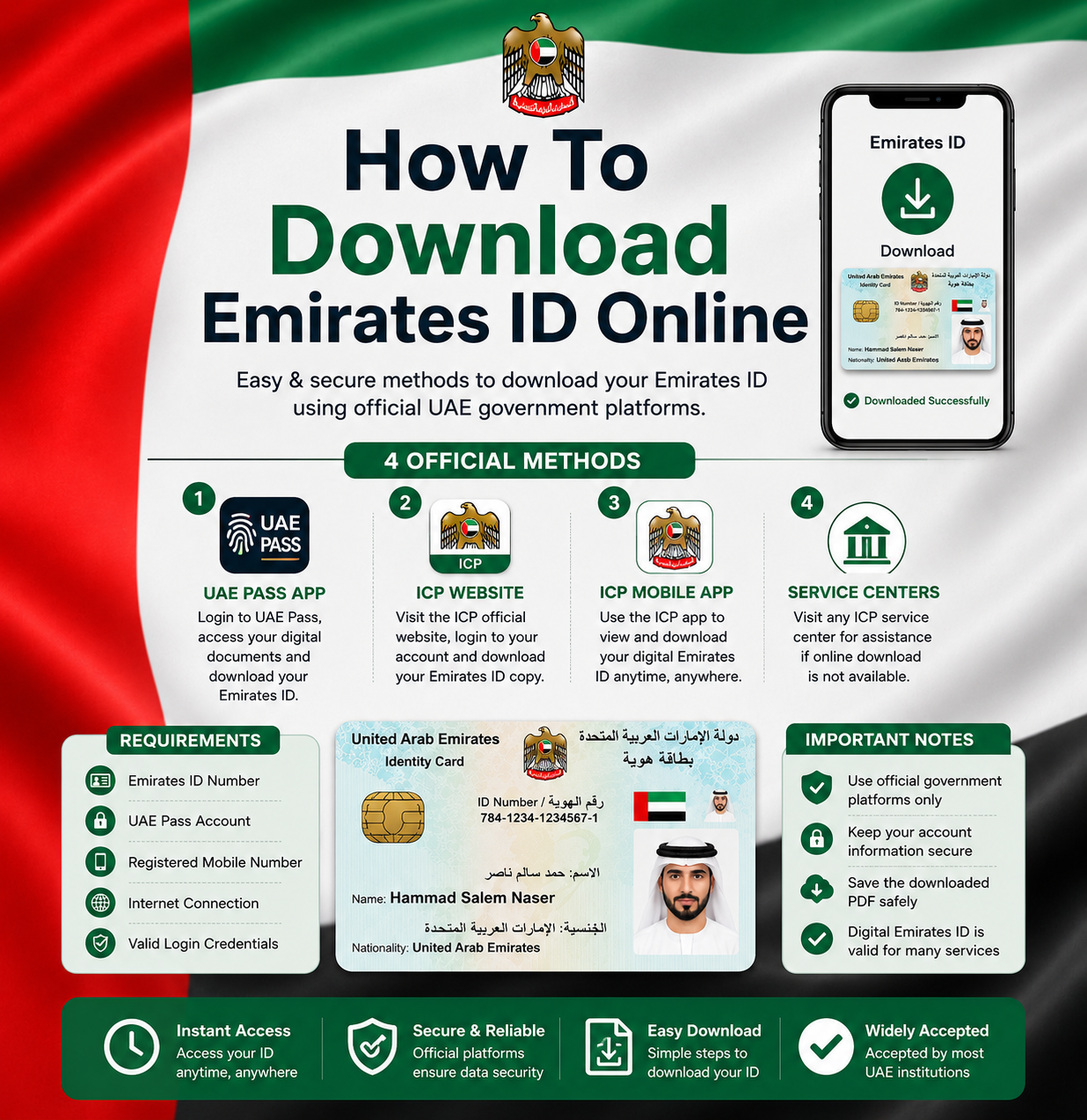
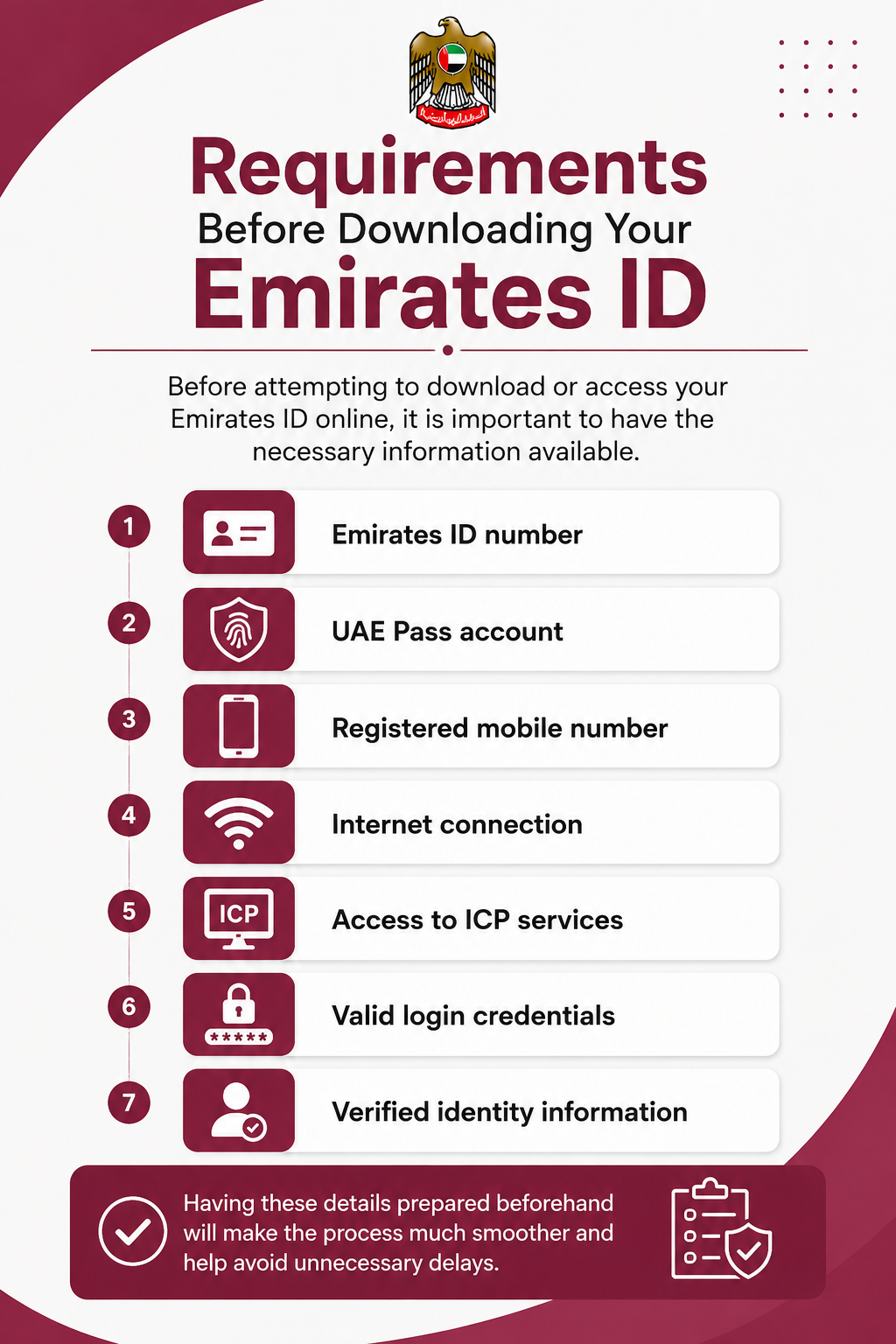
Requirements Before Downloading Your Emirates ID
Before attempting to download or access your Emirates ID online, it is important to have the necessary information available.
You may need:
Having these details prepared beforehand will make the process much smoother and help avoid unnecessary delays.
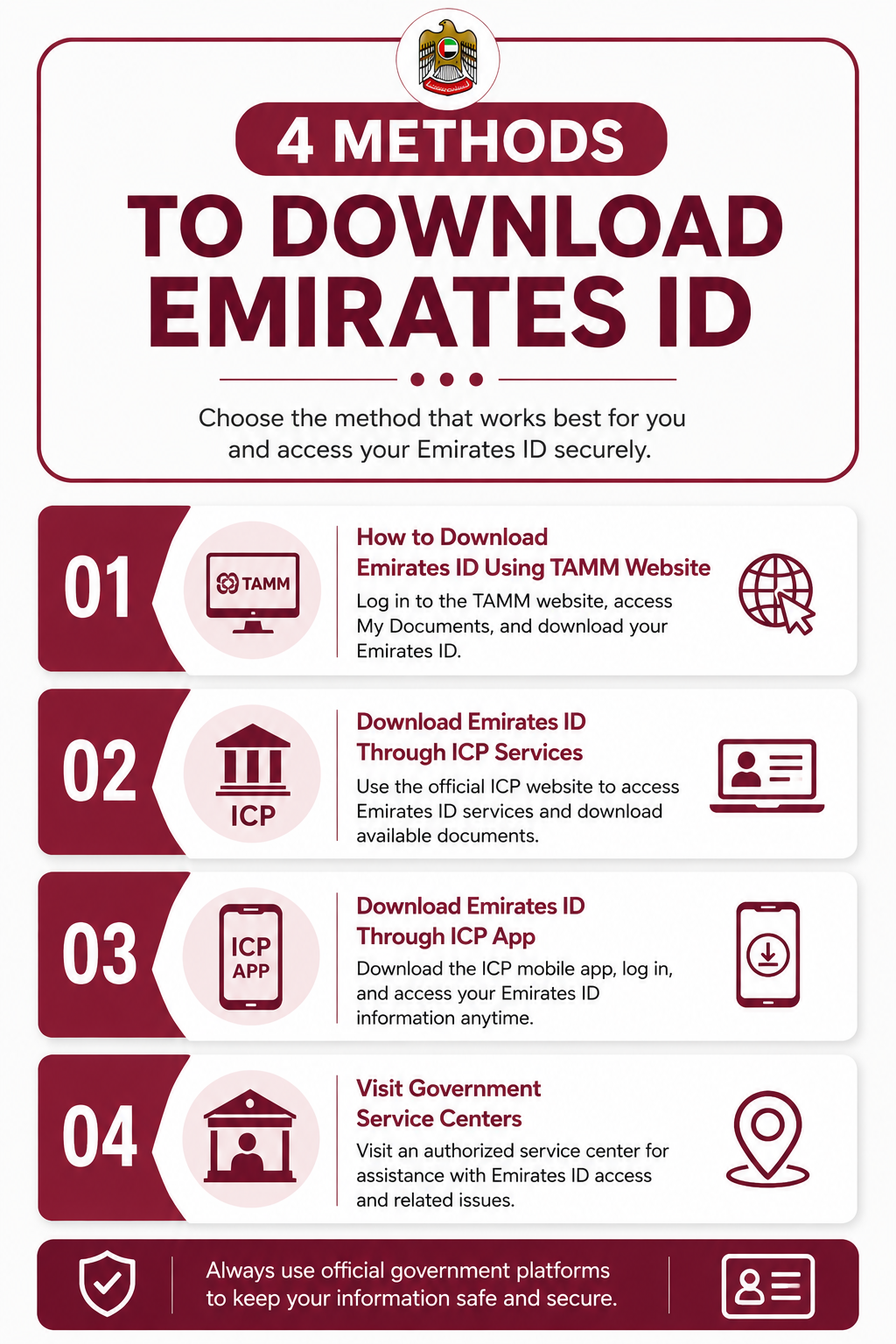
4 Methods To Download Emirates ID
There are several official ways to download your Emirates ID online or access your digital identity records. Depending on your preference and account access, you can use government platforms such as TAMM, ICP services, the ICP mobile application, or seek assistance from authorized service centers.
How to Download Emirates ID Using TAMM Website
The TAMM platform allows UAE residents to access important government documents, including a digital copy of their Emirates ID. Follow the steps below to download your Emirates ID through the official TAMM website.
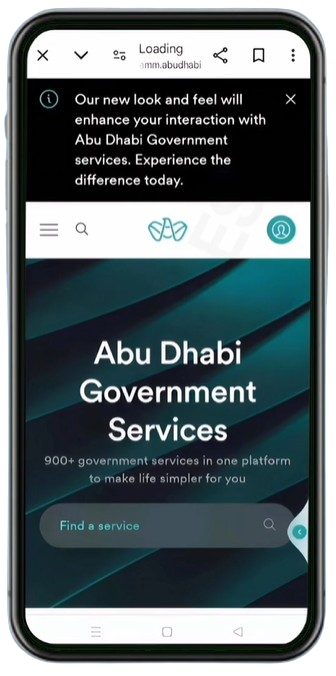
Step 1: Visit the TAMM Website
Open the official TAMM website in your browser. Once the homepage loads, locate the profile/login icon in the top-right corner of the screen and tap it to access the login page.
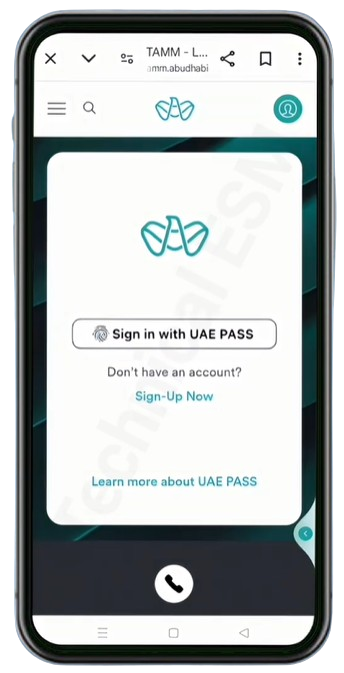
Step 2: Click on “Sign in with UAE PASS”
On the login screen, click the “Sign in with UAE PASS” button. TAMM uses UAE PASS for secure authentication and identity verification.
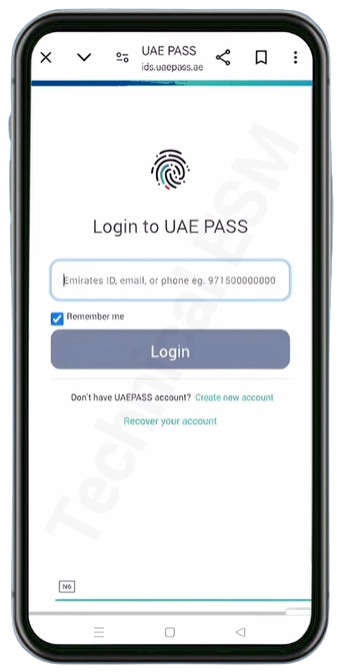
Step 3: Log In to Your UAE PASS Account
You will be redirected to the UAE PASS login page. Enter any of the following registered credentials:
After entering your details, click Login and complete any verification steps required by UAE PASS.
Step 4: Open “My TAMM”
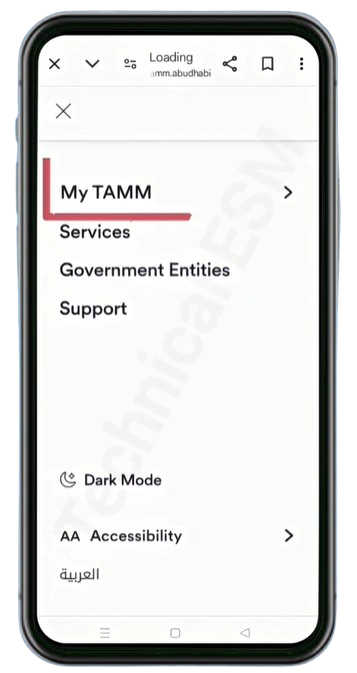
After successfully signing in, open the side menu and select “My TAMM” from the available options. This section contains your personal government records and documents.
Step 5: Click on “My Documents”
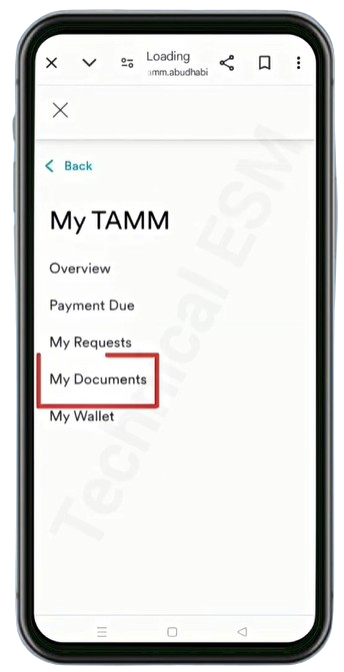
Inside the My TAMM dashboard, locate and click “My Documents”. This section stores digital copies of official documents linked to your account.
Step 6: Select Emirates ID and Download
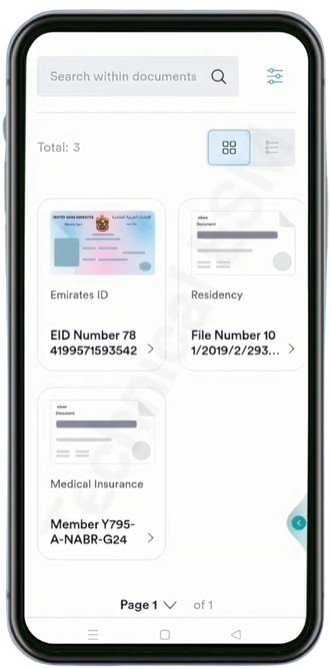
Under the My Documents section, you will see a list of available documents such as Emirates ID, Residency, and Medical Insurance.
Click on Emirates ID to open the document. From there, you can view your digital Emirates ID and download or save the PDF copy to your device.
#2 Download Emirates ID Through ICP Services
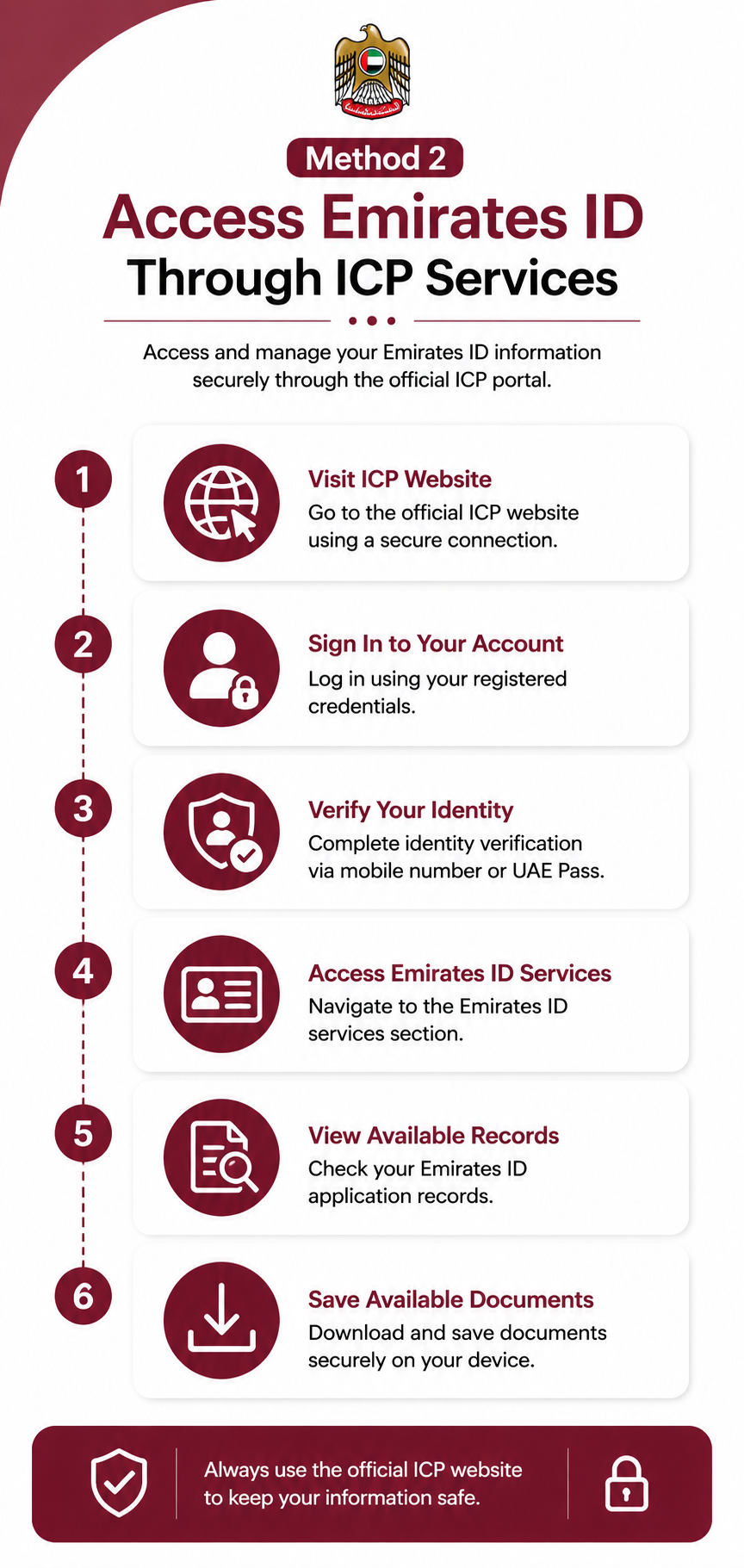
The ICP (Federal Authority for Identity, Citizenship, Customs and Port Security) provides official online services for managing Emirates ID applications and identity-related records. Through the ICP portal, users can securely access their information, track applications, and view available Emirates ID documents. This method is useful for those searching for ICA Emirates ID download options through official UAE government channels.
Steps to follow:
#3 Download Emirates ID Through ICP App
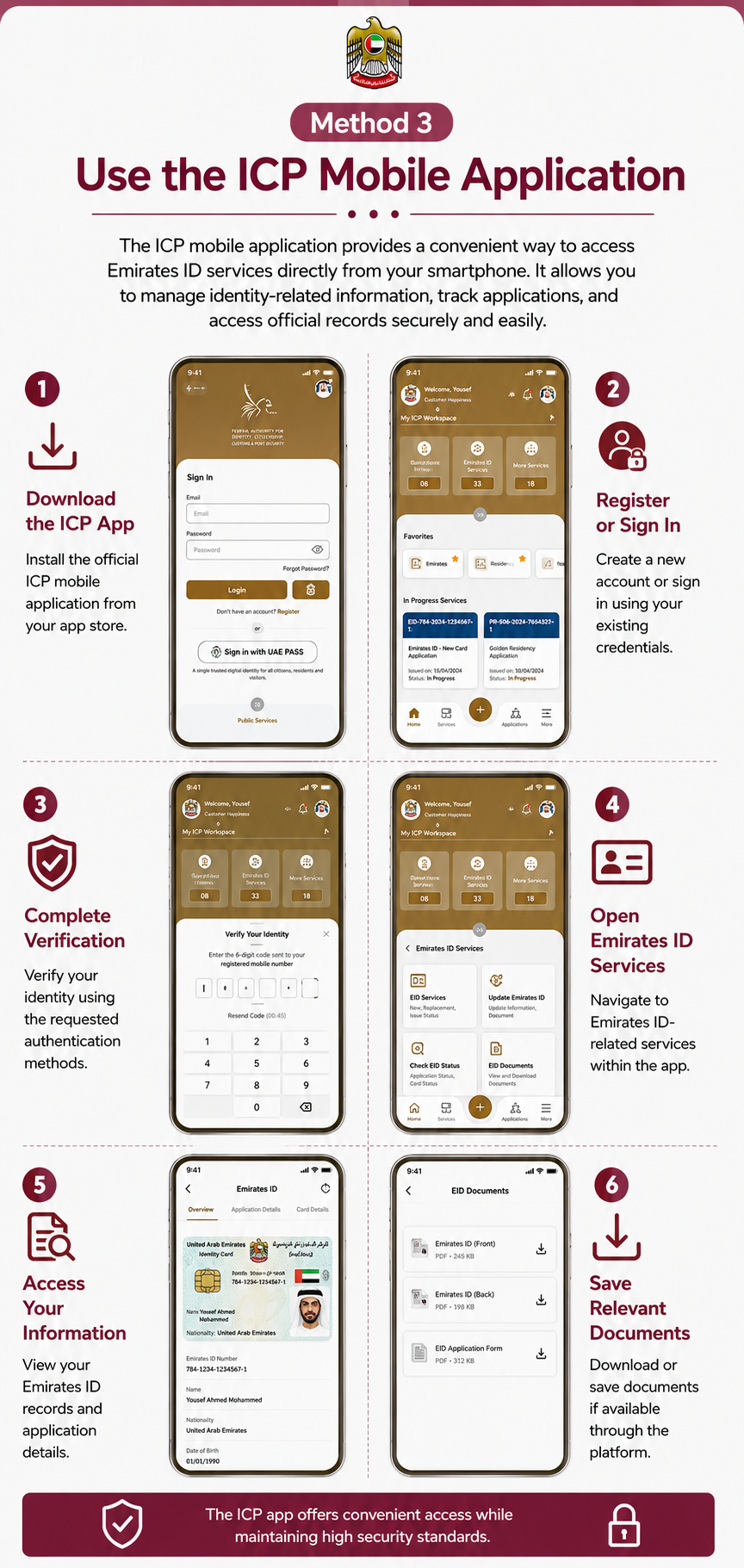
The ICP mobile application provides a convenient way to access Emirates ID services directly from your smartphone. It allows users to manage identity-related information, track applications, and access official records without needing a computer. With secure authentication and integration with UAE government systems, the app offers a fast and reliable experience for residents and citizens.
Steps to follow:
#4 Visit Government Service Centers
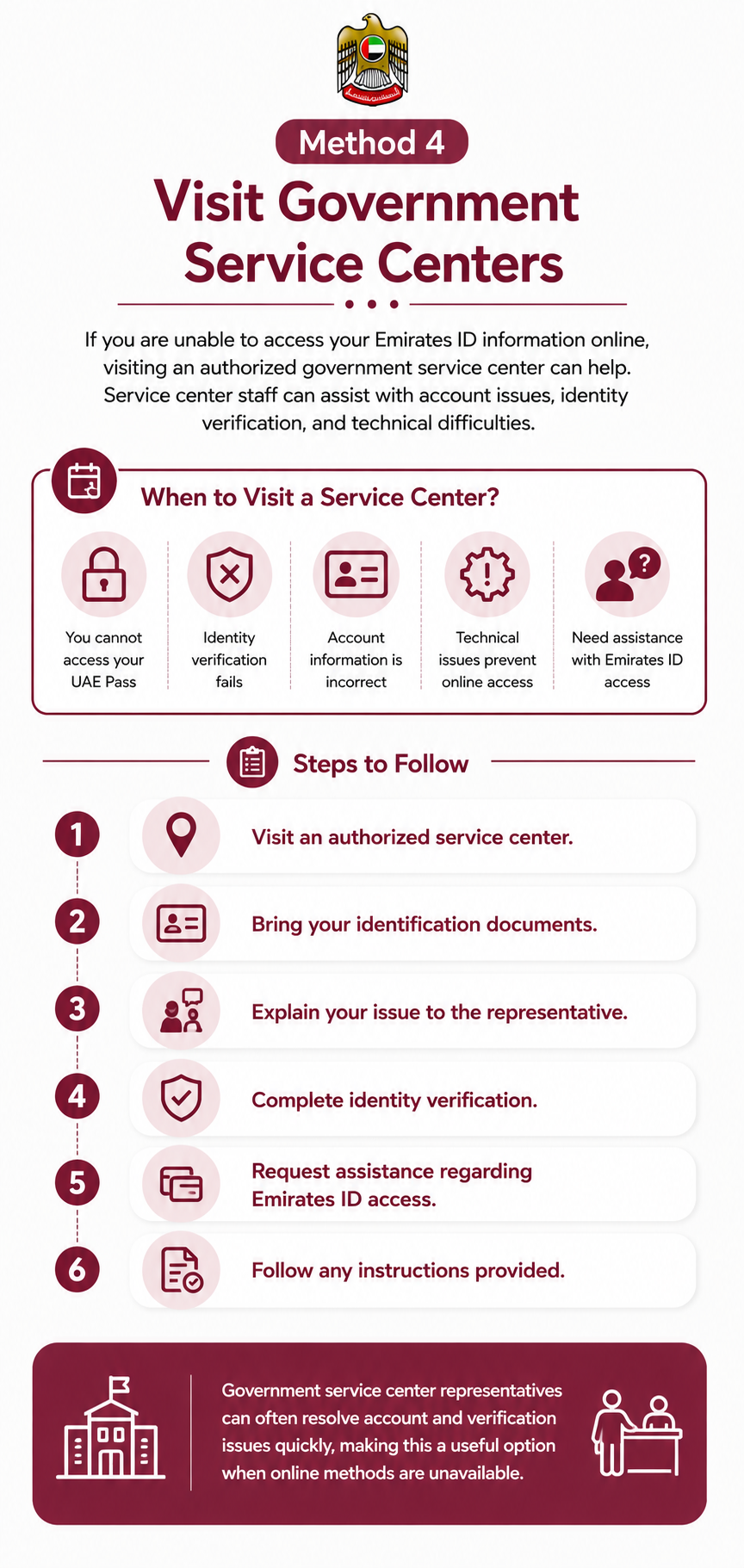
If you are unable to access your Emirates ID information online, visiting an authorized government service center can be a helpful alternative. Service centers can assist with account issues, identity verification problems, and technical difficulties that may prevent access to digital services. Trained staff can guide you through the process and help resolve issues related to Emirates ID access.
Steps to follow:
Note: Government service center representatives can often resolve account and verification issues quickly, making this a useful option when online methods are unavailable.
What to Do If You Cannot Download Your Emirates ID
If you experience difficulties, try the following solutions:
Most issues can be resolved through one of these methods.
Is a Digital Emirates ID Valid?
Many users wonder whether a digital version of their Emirates ID can be used officially. In many situations, digital identity verification is accepted across UAE government and private sector services. However, some organizations may still request the physical Emirates ID card depending on their requirements.
For this reason, it is recommended to maintain access to both digital and physical versions whenever possible. Digital identification continues to become more widely accepted as the UAE expands its smart government initiatives.
Benefits of Downloading Your Emirates ID Online
There are many reasons why people choose to access a digital copy of their Emirates ID.
Benefits include:
Having a digital copy available can be extremely helpful in both personal and professional situations.
Security Tips for Storing Your Emirates ID
Because the Emirates ID contains sensitive personal information, proper security is essential.
Follow these recommendations:
Protecting your identity information should always be a priority.
Frequently Asked Questkions
2. What information do I need to download my Emirates ID?
You typically need your Emirates ID number, UAE PASS account, registered mobile number, and verified login credentials to access Emirates ID-related services online.
3. Can I download my Emirates ID using the ICP mobile app?
Yes, the ICP mobile application allows users to access Emirates ID services, view identity records, and download available documents directly from their smartphones.
Conclusion
Learning how to download Emirates ID online can help UAE residents access important identity information quickly and securely. Whether you choose UAE Pass, ICP services, the mobile application, or government assistance centers, there are several reliable methods available for managing your digital identity.
The most popular option for Emirates ID download remains UAE Pass due to its convenience, security, and integration with government services. Meanwhile, ICP platforms continue to provide valuable identity management tools for residents across the UAE.